
Run every task, project and department in one place
Webixa TMS is a self-hosted task management system with Super Admin, Manager and Team roles, cross-department projects, recurring work, calendar, reports and a Gantt chart. Your data stays on your own server.
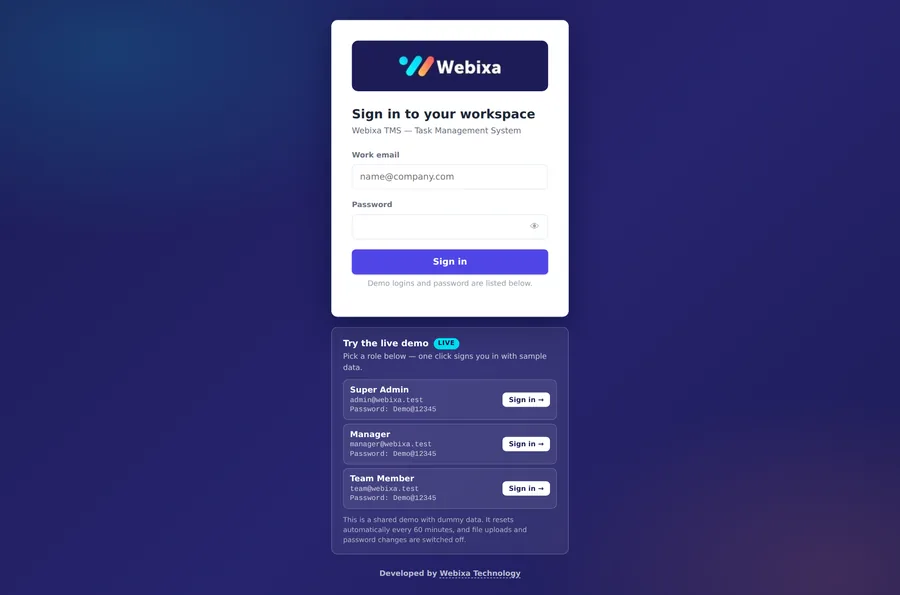
Sign in with one click as Super Admin, Manager or Team Member.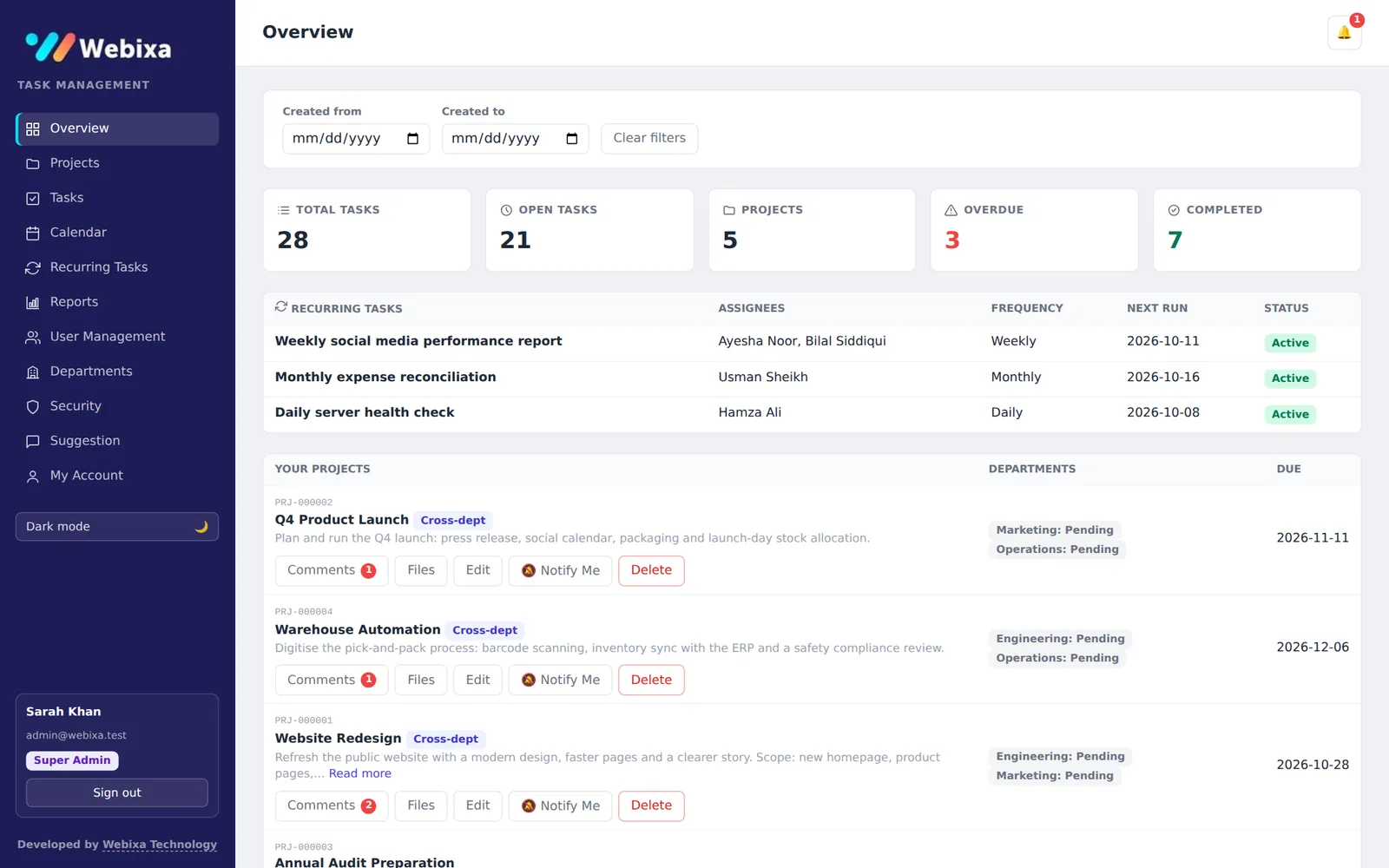
Everything a growing team needs to stay on track
Built around how companies really work: departments, managers, cross-team projects and work that repeats every week or month.
Roles that match your org chart
Super Admin, Manager and Team Member — plus optional Team Leads who can assign work to their own team. Everyone sees exactly what they should.
Cross-department projects
Run one project across several departments and managers, track each department's progress and keep a comment thread and files with the project.
Tasks with full control
Assign to one or many people, set priority and due date, move through To do → In progress → Review → Done, with comments, attachments and an activity log.
Recurring tasks
Daily, weekly, monthly, quarterly or yearly work is created automatically on schedule, with optional completion reports so nothing is forgotten.
Reports & Gantt chart
Department-wise Gantt chart with milestones, plus charts by department, status, priority and timeline, and a clear list of what is overdue.
Notifications & reminders
In-app bell, pop-up alerts and email for new assignments, comments and completions, with due-tomorrow reminders. Directors can follow any task or project.
Security built in
Strong password rules, account and network lockout after failed logins, two-factor authentication (authenticator app) and a login activity log.
Excel in, Excel out
Upload many tasks at once from an Excel template and export your tasks to Excel whenever you need to share or archive them.
Your server, your data
Runs on your own Windows or Linux server with a single-file database that is trivial to back up. Includes light and dark mode and a built-in suggestion box.
The right view for everyone
Each role gets its own menu, permissions and dashboard — no clutter, no confusion.
Super Admin
Full control of the organisation.
- Creates projects, departments and users
- Sees every task, project and report
- Gantt chart and organisation-wide charts
- Security page: lockouts and login activity
- "Notify me" when a department finishes its part
Manager
Leads a department or a project.
- Creates projects and assigns tasks to the team
- Breaks shared tasks into sub-tasks
- Department reports and Gantt chart
- Manages recurring tasks for the team
- Comments and files on every project
Team Member
Gets work done, clearly and simply.
- A focused "My Tasks" list with due dates
- Update status, comment and attach files
- Create personal tasks for yourself
- Calendar view of everything due
- Team Leads can assign to their own team
See it in action
Real screens from the live demo (with dummy data).
Overview: task counts, overdue work, recurring tasks and your projects at a glance.
Try it yourself in 10 seconds
Open the demo and click a role on the sign-in page — you are logged in straight away with realistic sample data. Create tasks, move statuses, comment on projects and explore the reports.
| Role | Password | |
|---|---|---|
| Super Admin | admin@webixa.test | Demo@12345 |
| Manager | manager@webixa.test | Demo@12345 |
| Team Member | team@webixa.test | Demo@12345 |
Shared demo with dummy data — it resets automatically every hour. File uploads, sign-up and password changes are switched off in the demo.
Simple ways to get started
Tell us about your team and we will send a quote within one working day.
Self-hosted licence
Installed on your own server — you own the data.
- Installation on your Windows or Linux server
- All roles, projects, reports and Gantt
- Backup and update guide
- Email notifications set up (SMTP)
Setup & customisation
Make it fit your company from day one.
- Everything in the self-hosted licence
- Your logo, colours and departments
- Company email-domain sign-up lock
- Team training and handover
- Custom features on request
Questions, answered
What do I need to run it?
Any Windows or Linux server (or VPS) with Node.js 22.13 or newer. There is no separate database server to install — everything is stored in one file.
Where is my data stored?
On your own server. Nothing is sent to us. Backing up is as simple as copying the database file and the uploads folder.
Can it send email notifications?
Yes. Connect any SMTP mailbox and users get emails for new assignments, comments, completions and due-tomorrow reminders. The system works fine without email too.
Can you customise it for my company?
Yes — branding, departments, sign-up restrictions and extra features. Tell us what you need and we will quote it.
Is the demo data real?
No. The demo uses made-up people and tasks, and it resets every hour so every visitor starts with a clean workspace.
Does it work on phones?
The interface is designed for desktop and laptop screens and can be opened in a mobile browser for quick checks.
Ready to bring order to your team's work?
Explore the live demo, then tell us what you need.